01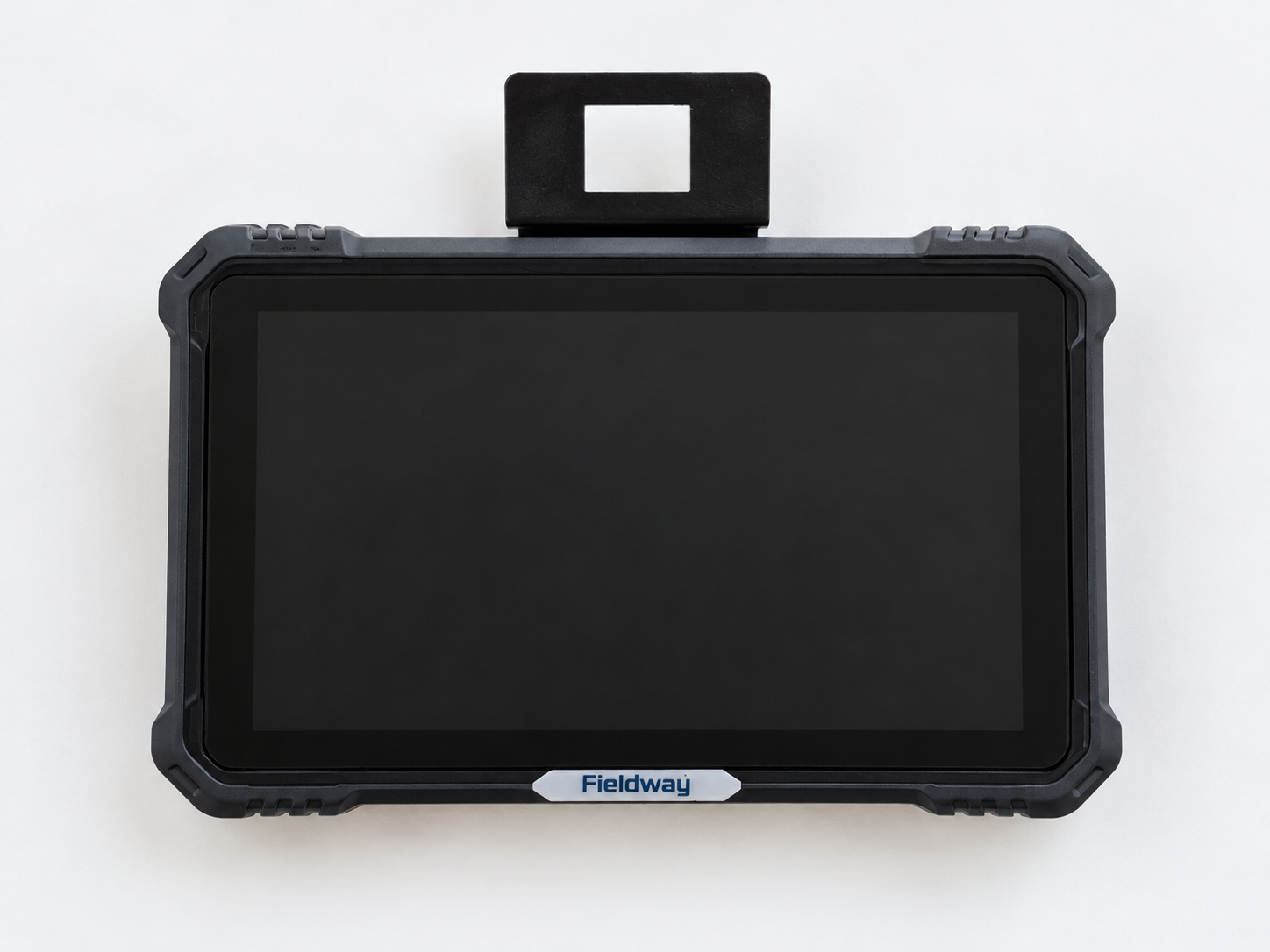
DP10 touchscreen display
A 10.1-inch touchscreen for guidance lines, task management and tractor / implement settings. Mounted within the operator’s reach.

RETROFIT AUTO-STEERING · ONTARIO
For the tractor you already own. Fieldway brings guidance and automatic headland turns to compatible tractors, with on-farm standard installation, calibration and initial training included.
Explore the field functionsA 10.1-inch touchscreen for guidance lines, task management and tractor / implement settings. Mounted within the operator’s reach.
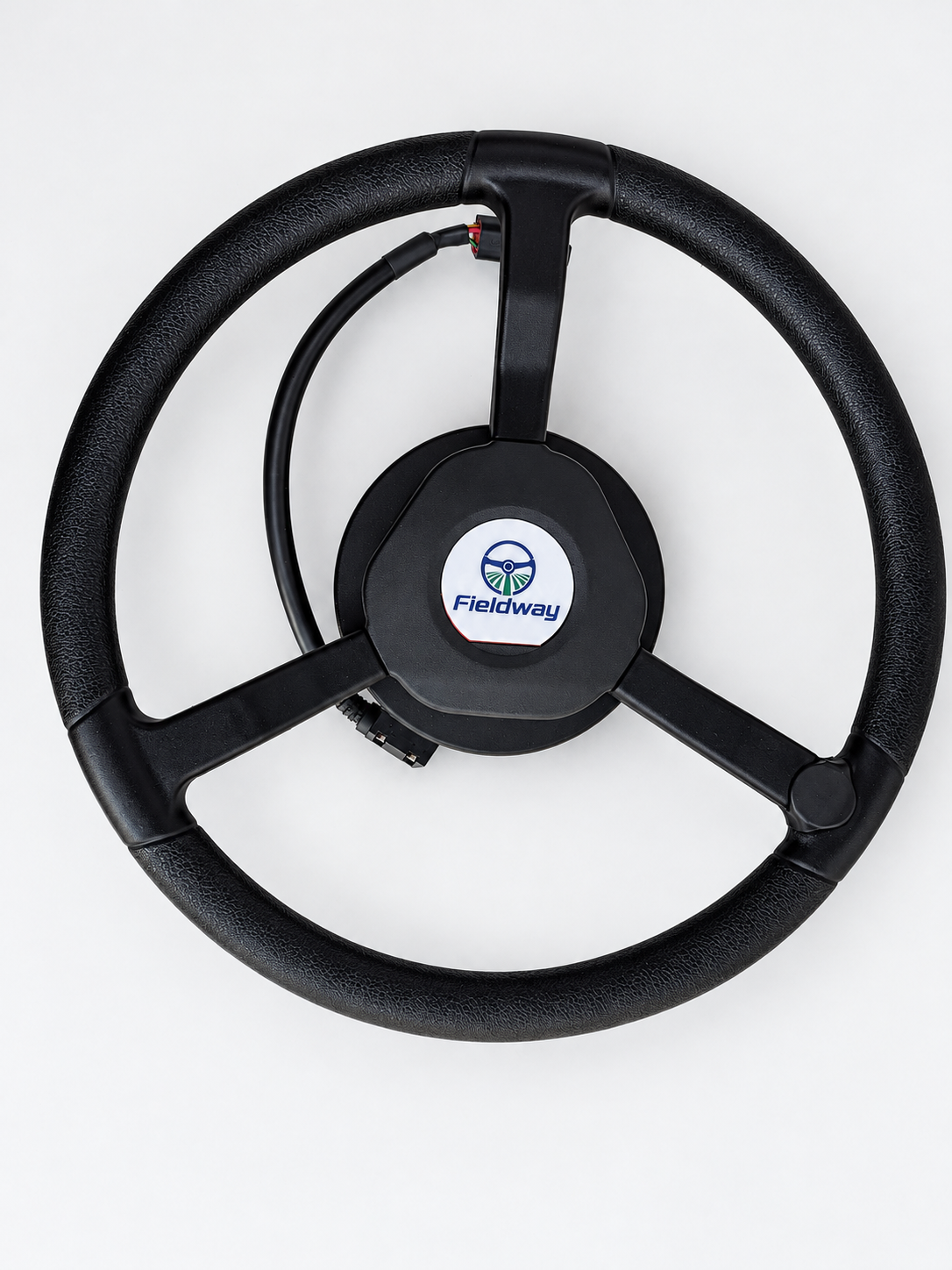
The steering actuator fits at the tractor steering shaft using a matched adapter and mounting arrangement.
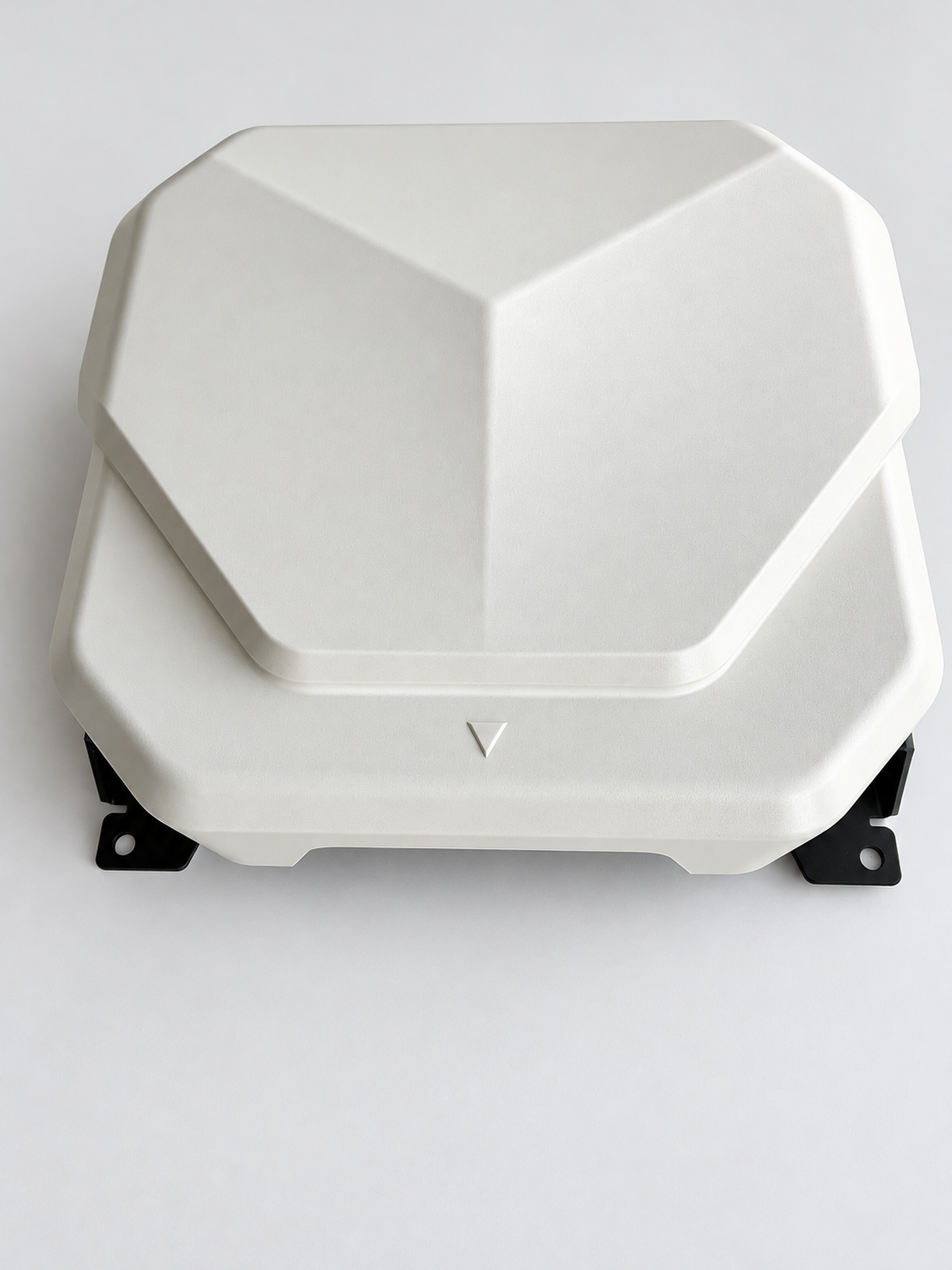
One roof-mounted unit combines the GNSS antenna, IMU and controller electronics.
Actual Fieldway equipment photographs. The FC3 PRO includes the receiver and controller in one unit.
MORE THAN A STRAIGHT LINE
Set the route, manage the task and keep the operator in control. Configure the system for your tractor, implement and field conditions.
Included in the standard package. Configure turning radius, speed, trigger method and row-skipping settings for the available headland space.
Set a straight AB line or a curved route to guide successive passes around the way you work.
Integrated GNSS and inertial navigation account for vehicle attitude as the tractor works across changing terrain.
Return to an interrupted task and continue the job using its saved guidance setup.
Organize field tasks and share task information through the supported software functions.
See guidance and system status, then adjust machine and implement settings from the display in your cab.
THE ACTUAL SOFTWARE
Guidance and task controls on the in-cab display. These are manufacturer software reference screens, not simulated product interfaces.
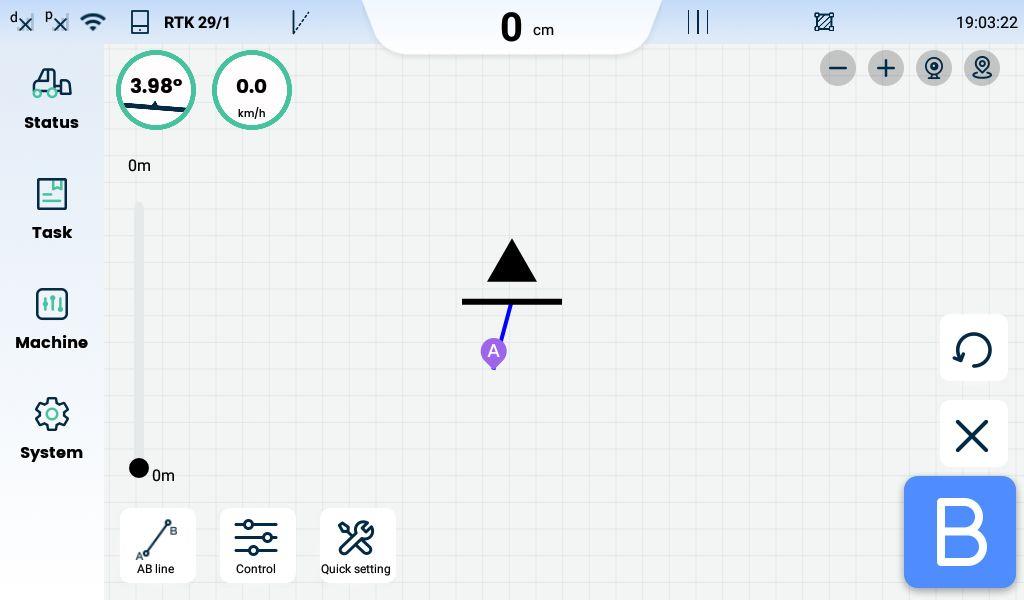
Set points A and B, confirm the guidance line and engage steering assistance when the tractor and correction status are ready.
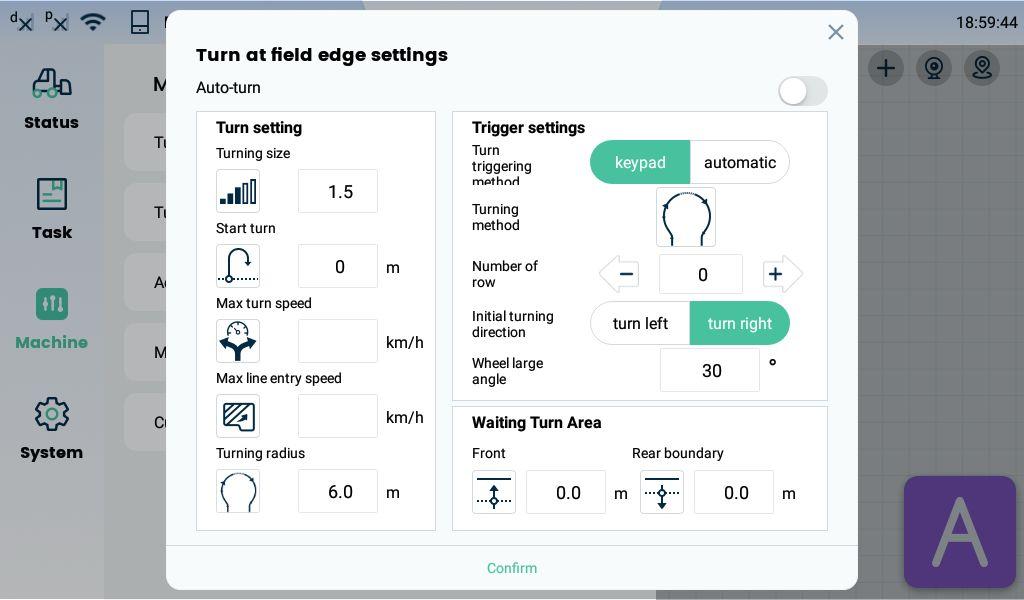
Set the turning radius, speeds, direction and trigger method for the working area. Operator supervision remains essential.
HOW IT WORKS IN THE FIELD
WHERE EACH PART GOES
The display, steering wheel and roof unit each have a specific job. We check the mounting and adaptation needed for your machine before installation.
Illustrative locations. Mounting parts and cable routing depend on your tractor.
DP10 mounts where the operator can see and reach the touchscreen.
FM5 fits to the steering shaft using the matched adapter and support hardware.
FC3 PRO mounts on the vehicle roof centreline for GNSS positioning and control.
YOUR EQUIPMENT
The three main units come with mounting hardware, the integrated harness, radio antenna equipment and small parts. Numbers match the downloadable kit sheet.
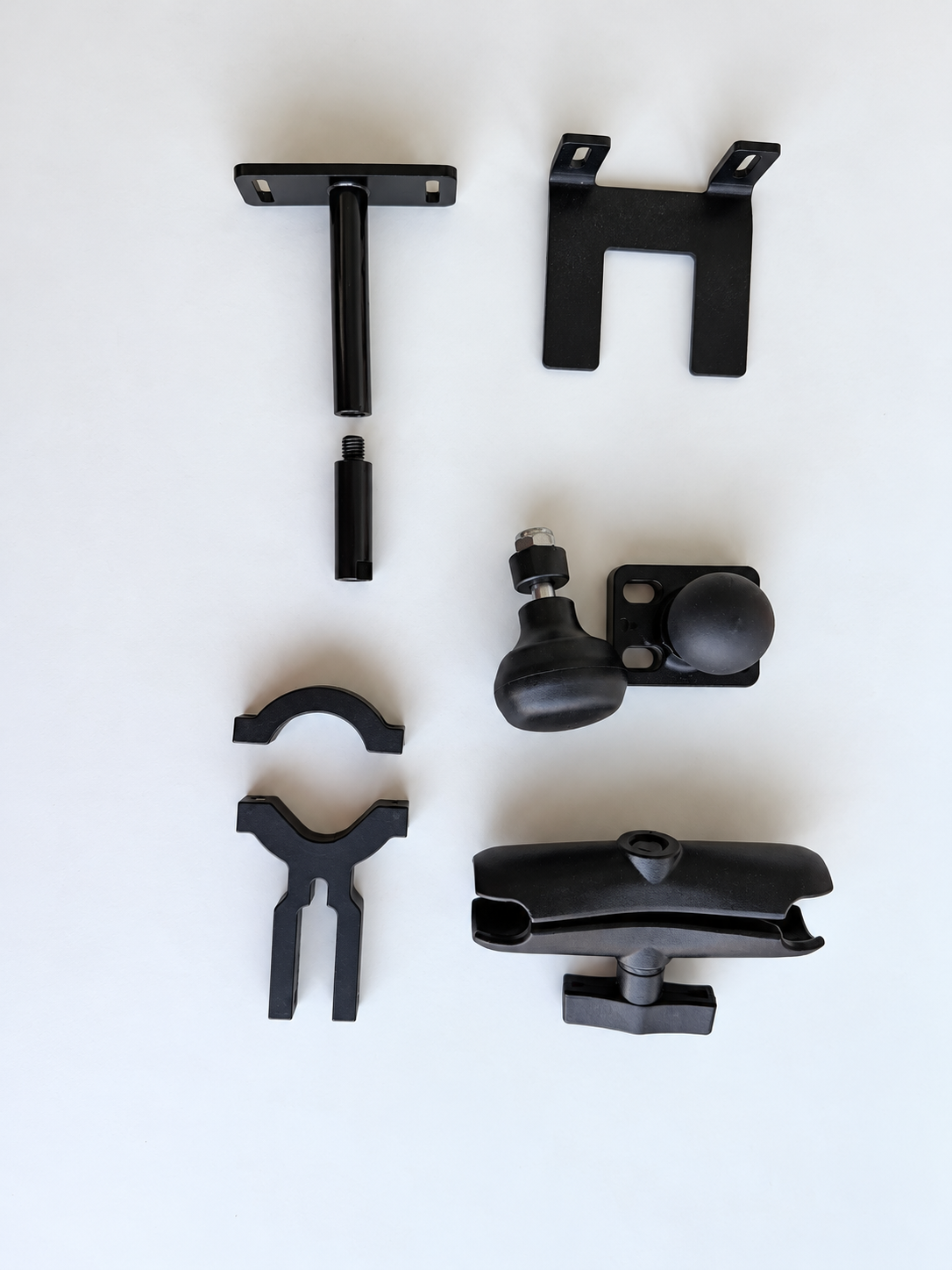
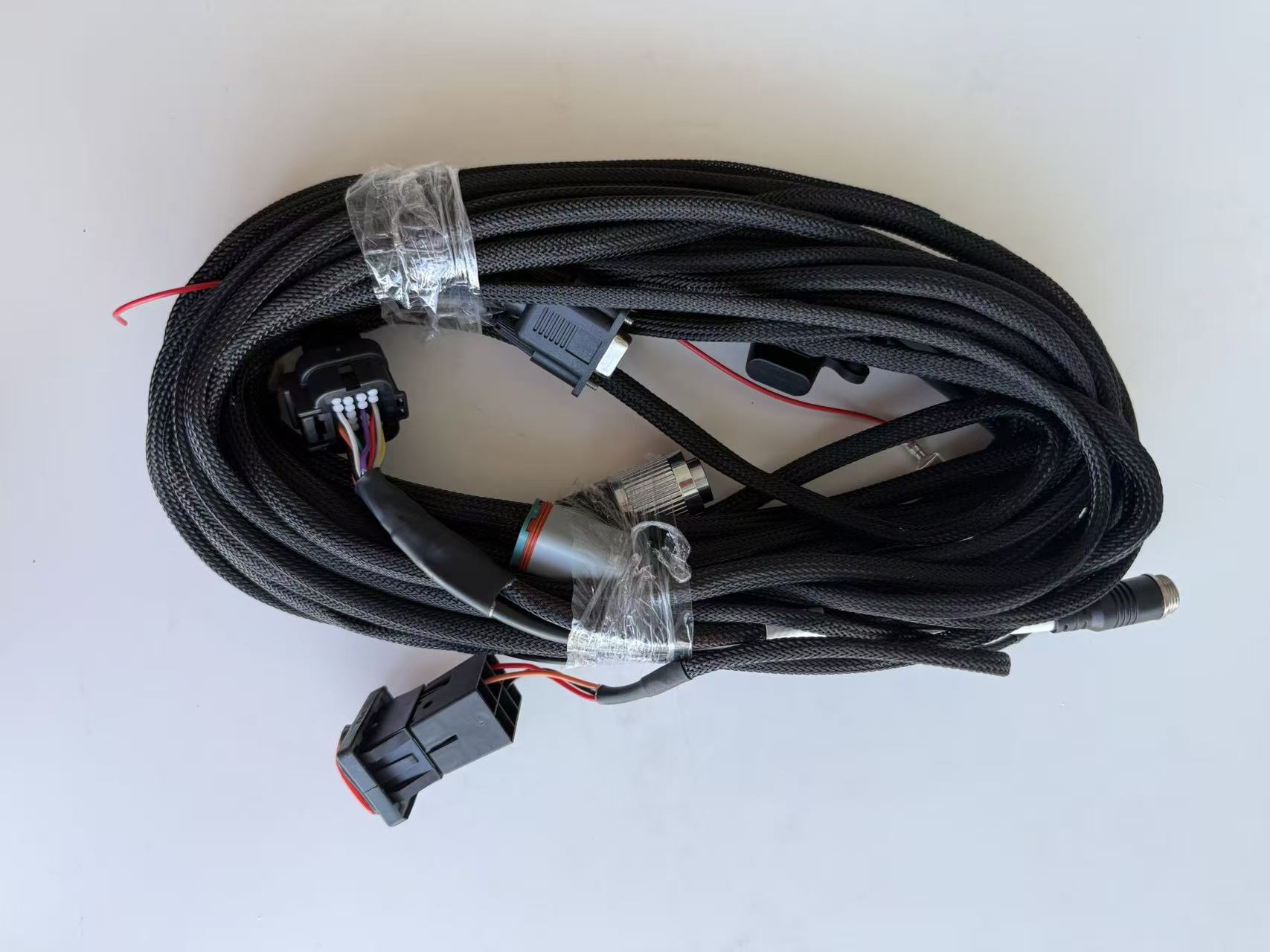
Grouped for identification. Verify item-level quantities against the shipment packing list.
Ball base and adjustable clamp arm, included within the DP10 display kit (01).
Clamp halves, mounting brackets and extension components for the confirmed installation.
A hand-operated knob for the steering wheel.
Links the main units and approved vehicle power.
Radio antenna, base and 5 m extension lead. The correction setup is arranged separately.
Fasteners, cable ties, 4 mm and 5 mm hex keys, and a 5 m tape measure.
Additional GNSS antennas, angle sensors and cameras are configuration options. Included equipment and quantities are confirmed in your quote and packing list. RTK correction service is separate.
Download the complete identification sheetPRACTICAL DETAILS
The main hardware specifications at a glance. Protection ratings apply to the individual components shown.
| Component | Useful details | Protection |
|---|---|---|
| DP10 display | 10.1-inch touchscreen · 1024 × 600 · 600 nit · glove-supported touch | IP67 |
| FC3 PRO | Integrated GNSS receiver, inertial navigation and controller | IP67 |
| FM5 steering wheel | Electric steering actuator · rated 12 V DC input | IP65 |
WITH FIXED RTK
2.5 cm RMS**Manufacturer-rated dry-field working accuracy at speeds up to 10 km/h, with fixed RTK, correct installation and calibration. Performance depends on operating conditions.
RTK correction service is not included. Satellite reception alone does not establish centimetre-level performance. Confirm a suitable correction source, service access, data connection and equipment configuration for your task.
Tractor fit is checked before installation. Mounting hardware, shaft adaptation and electrical arrangements depend on the machine.
THE INSTALLED PACKAGE
$9,800 + HST, installed. We confirm the tractor fit, installation location and any extras in writing before scheduling.
Standard on-farm installation, calibration and initial training are included within 100 km of our service base. Beyond that, travel is $1/km; the service base and chargeable distance are confirmed in your written quote. Non-standard adapters, if needed, are $0–300 and quoted first.
DP10, FM5 and FC3 Pro carry a 2-year warranty; cables and accessories have 1 year. Covered on-site warranty repair within 100 km includes labour. Written warranty terms apply.
RTK correction service and data SIM are separate. We help configure and test the agreed connection. Remote support is free: replies within 24 hours on weekdays, or within 4 hours during planting and harvest seasons.
PRODUCT INFORMATION
Download the brochure and practical equipment references. The installation overview is used alongside the confirmed fitting instructions for your tractor.
The equipment, field functions, installation service, pricing and main-component warranty.
Download PDF PDF · 1 pageNumbered photographs show the main units and included accessory groups.
Download PDF PDF · 1 pageSee the installation areas and how the main units work together.
Download PDF PDF · 6 pagesOEM-based preparation, setup, calibration and first-test guidance for matched installations.
Download PDFSTART WITH YOUR TRACTOR
Send the make, model and year, your field tasks, implement width and any existing correction service. Photos of the steering area help us assess the installation.
Standard installation, calibration and initial training are included within 100 km of our service base. Main components have a 2-year warranty; cables and accessories have 1 year. RTK service and data SIM are not included. Operator supervision is required.
Request an equipment quote or tractor fit review using our enquiry form, or contact Jiayi directly.
416-219-8886fieldway.customer@gmail.comOpen the enquiry form